Home
Home  Navigation


In the fast-paced world of modern gaming, automatic saving has become a standard feature, ensuring players' progress remains secure. Yet, in the unique environment of Freedom Wars Remastered, where you're constantly battling the colossal Abductors and racing against the clock to avoid penalties in the Panopticon, knowing how to manually save your game is not just a convenience—it's a necessity. The game's intensity makes securing your progress at every possible opportunity a wise strategy, whether you're gearing up for a tough mission or simply taking a break. Let's explore the crucial process of saving in Freedom Wars Remastered.
How to Save in Freedom Wars Remastered
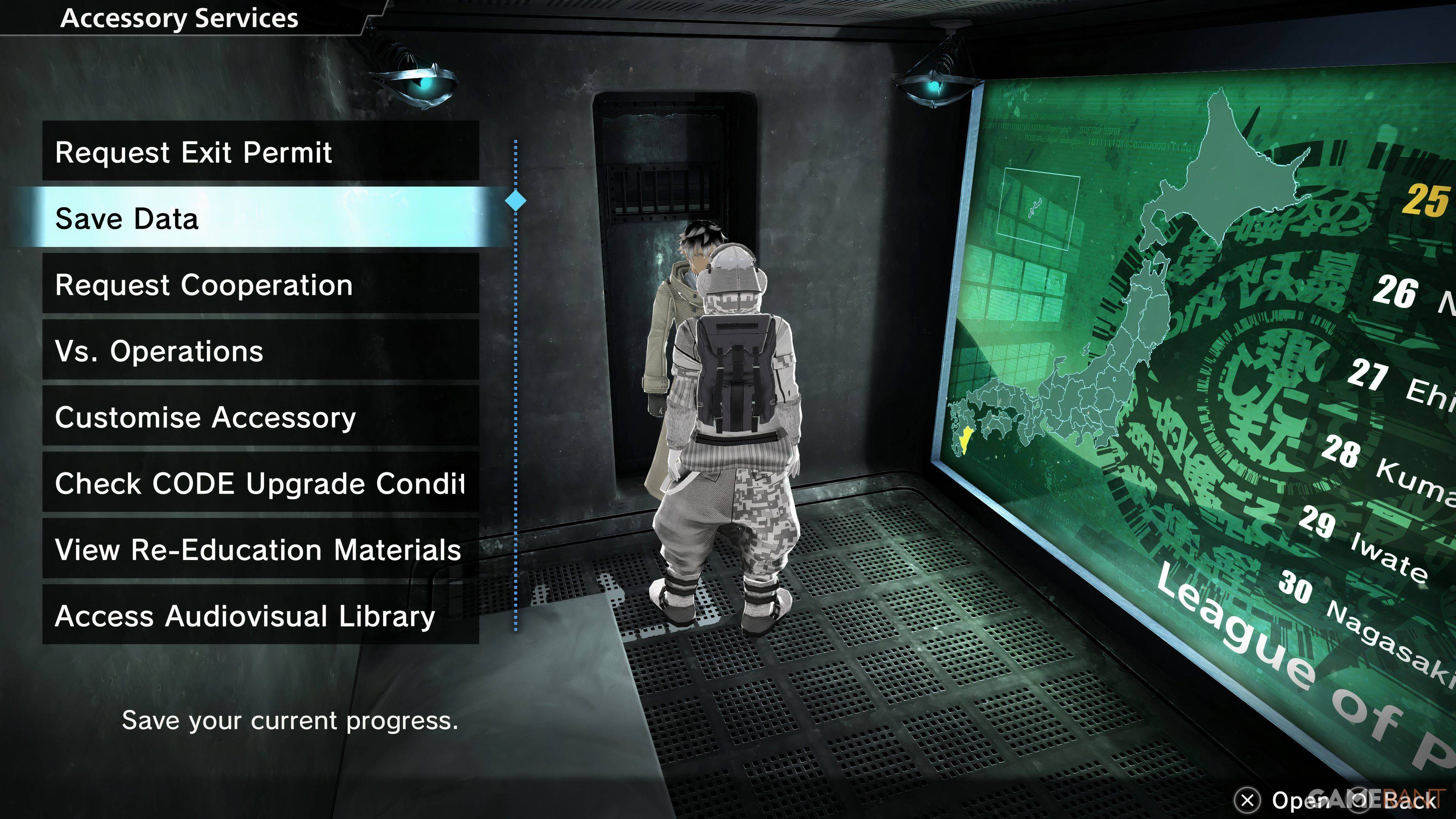
As you embark on your journey in Freedom Wars Remastered, the initial tutorial will guide you through the game's core mechanics. It's a lot to take in, and amidst the flurry of information, you might catch glimpses of a small saving icon on the right side of your screen. The game does employ an Autosave system, which diligently saves your progress after missions, significant dialogues, or cutscenes. However, relying solely on Autosave can be risky, which is why the Manual Save feature becomes invaluable.
Freedom Wars Remastered offers a Manual Save option, albeit with a single save file. This means you won't be able to keep multiple save points to revisit earlier parts of the story. To manually save, you'll need to interact with your Accessory in your Panopticon Cell and choose the "Save Data" option, which is the second on the list. Once you've selected it, your Accessory will confirm, and your progress will be securely saved.
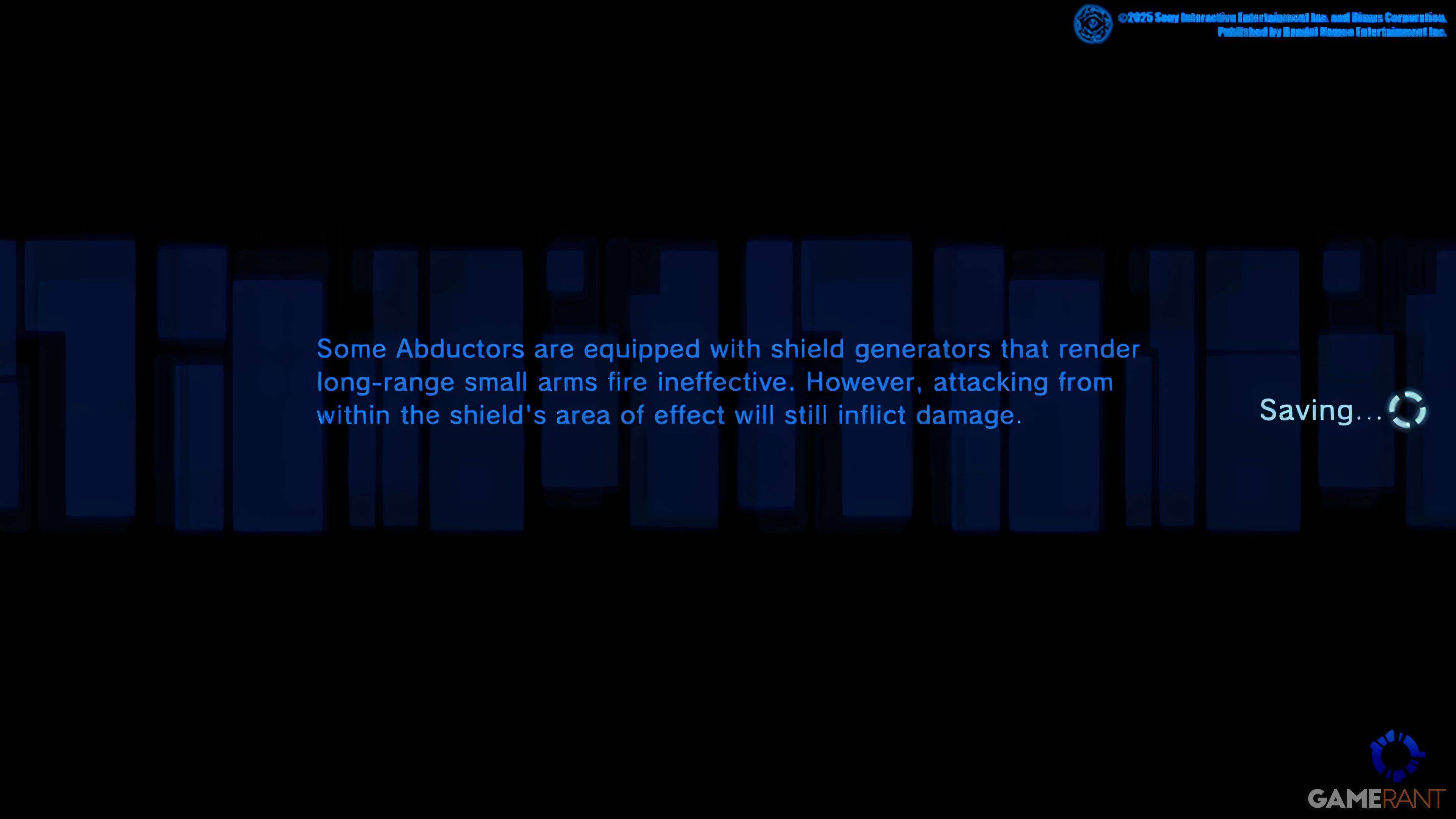
This single save file system means that your choices in the game are set in stone, impacting the game's outcome without the possibility of reversal. For PlayStation users with a PlayStation Plus subscription, there's a silver lining: you can upload your save data to the Cloud, allowing you to download it later if you need to revisit key moments or protect your progress from potential data loss.
Given that some players have reported game crashes, it's highly recommended to save your game frequently. This practice will help you avoid the frustration of losing significant progress in the high-stakes world of Freedom Wars Remastered.
 Latest Articles




 Latest Games




![Chubby Story [v1.4.2] (Localizations)](https://imgs.xddxz.com/uploads/85/1719638042667f981a5e9f8.jpg)


![Zia – New Version 0.4 [Studio Zia]](https://imgs.xddxz.com/uploads/47/1719569268667e8b74e6004.jpg)