 首頁
首頁  導航
導航


 應用說明
應用說明
Manage Screen Time, Block Apps & Websites, and Track Location
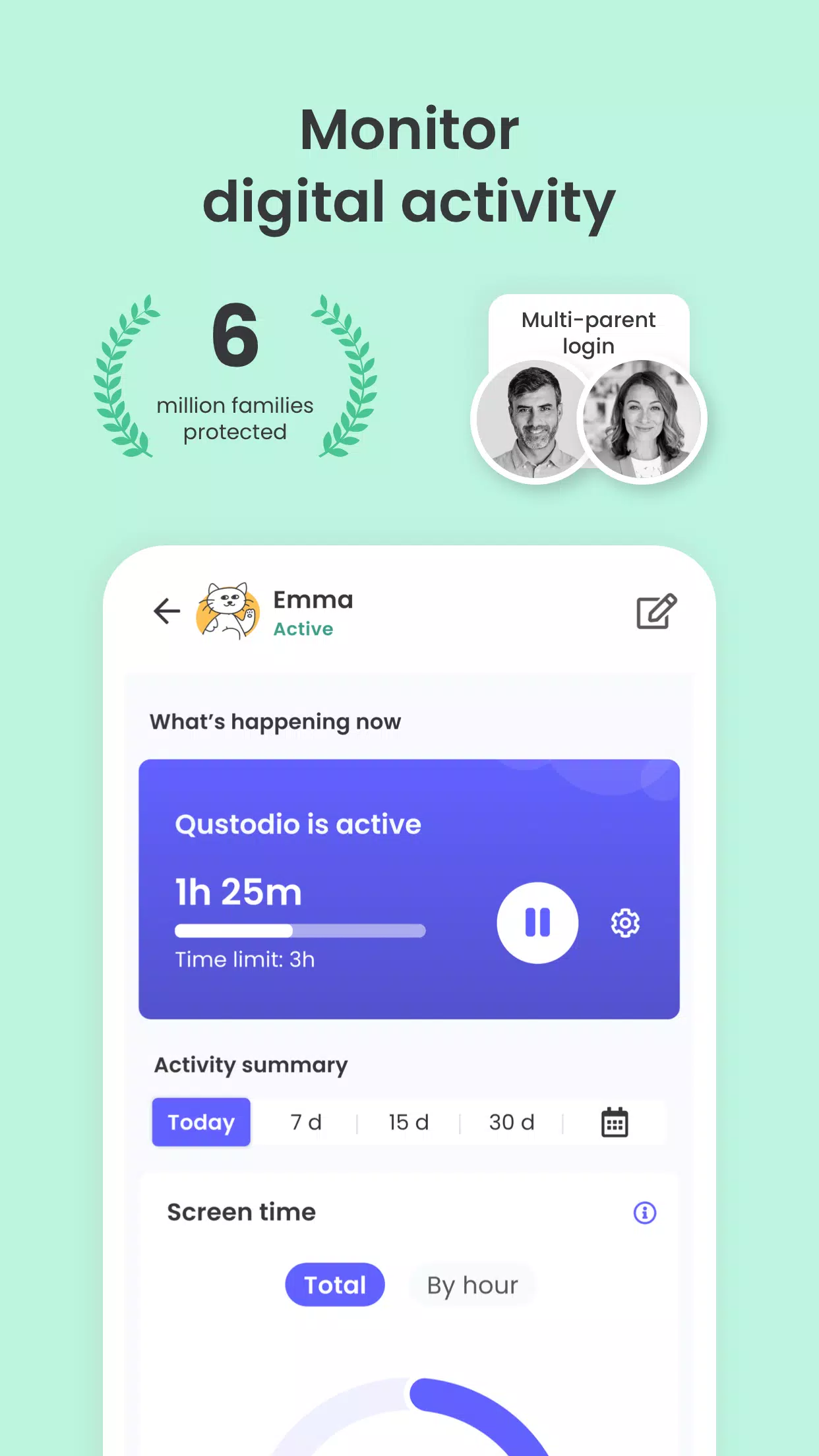
Recognized as an Editors' Choice by PC Mag, the Qustodio Parental Control App simplifies parenting. It offers daily screen time management, app and social media monitoring (including YouTube), app blocking, child location tracking, family mode, porn blocking, and more.
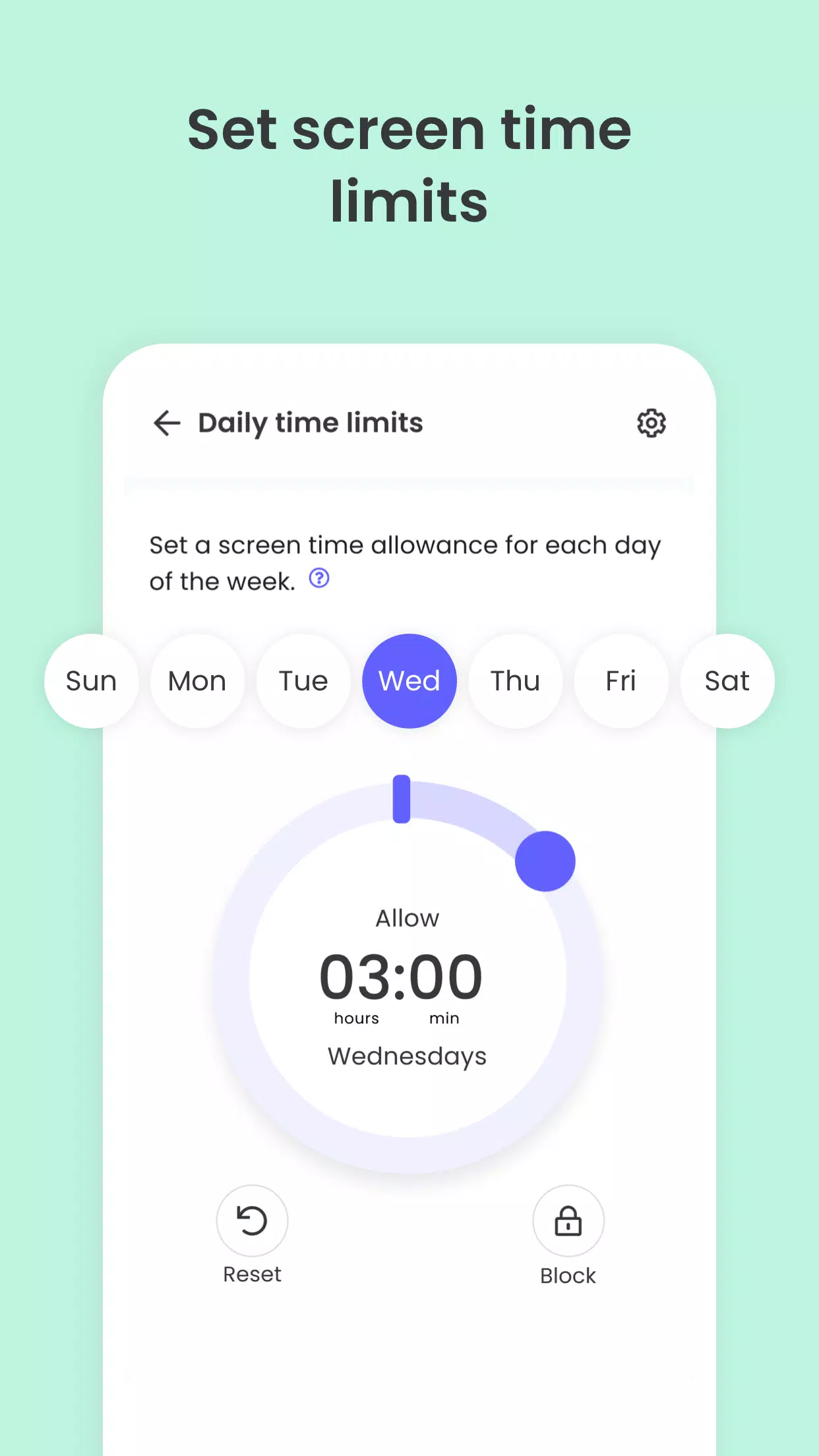
- Screen Time Control: Automatically locks the device once the allotted time is used up.
- Block, Monitor & Parental Filter: Tracks and manages your child's internet access, filtering out sensitive and adult content.
- Family Locator & GPS Family Tracker: Tracks your child's phone and shares their GPS location with you.
Begin by installing the Qustodio Parental Control App on your own device. Next, download the Kids App Qustodio companion app onto your child’s devices. Together, these apps let you effortlessly manage your child's daily screen time across linked smartphones, tablets, and computers on platforms like Android, iOS, and other major operating systems.
Safeguard your child online
✓ Filter the web (block games, pornography, gambling, and unwanted content)
✓ Get alerts about web activity and blocked sites
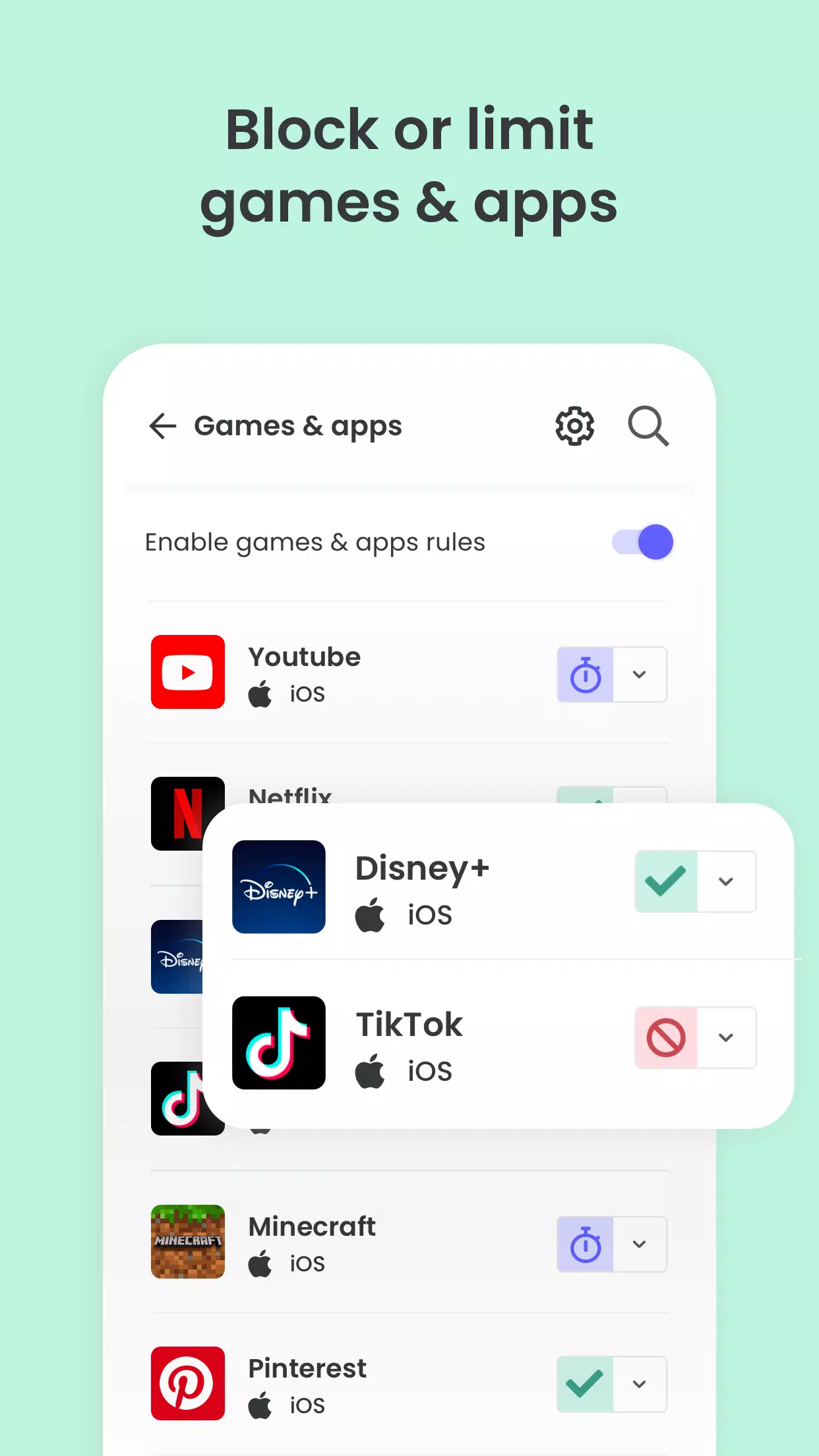
✓ Block games & apps
✓ Enforce safe search settings
Encourage healthy digital habits
✓ Set daily screen time limits
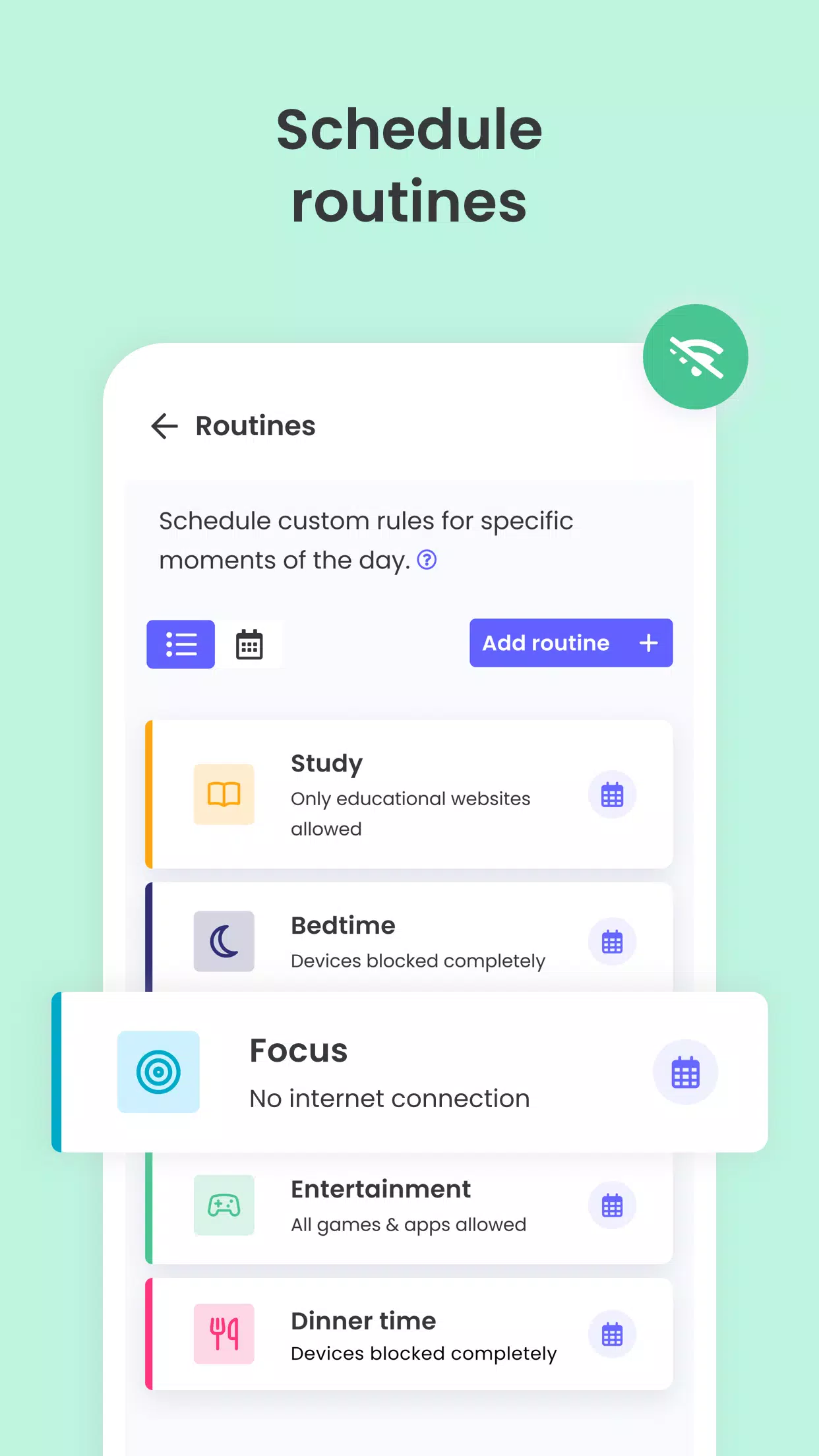
✓ Schedule time restrictions
✓ Pause internet access instantly
✓ Apply limits to games & apps
Gain complete oversight
✓ View 30-day reports on online activity
✓ Receive alerts for new app downloads
✓ Monitor YouTube usage
✓ Track calls and SMS messages
✓ Co-parent: Invite another guardian to help monitor and set rules
✓ Install a panic button on your child's device
✓ Install Qustodio to monitor screen time on iOS, Windows, Mac, Android, or Kindle devices
Keep track of your family
✓ Monitor GPS location (geolocation tracking for kids)
✓ Locate your child's phone
✓ Track kids on the go
✓ Share your own location
✓ Save favorite locations
Select Qustodio’s free parental control plan or upgrade to premium for full access to all features.
How to protect, block, & monitor screen time with Qustodio:
1 – Download the Qustodio Parental Control App to your device (like your phone or laptop), then create an account or log in.
2 – Install the Kids App Qustodio on the device you wish to supervise.
3 – Log in and follow the quick setup guide.
4 – Inappropriate websites will be blocked automatically once setup is complete.
5 – Monitor activity and screen time using the Parental Control App on your device or by logging into your online Qustodio Family Dashboard (https://family.qustodio.com).
Frequently Asked Questions:
• Does Qustodio support Android 8 (Oreo)? Yes.
• Does Qustodio work on platforms other than Android? Qustodio protects Windows, Mac, iOS, Kindle, and Android devices.
• What languages are supported? Qustodio is available in English, Spanish, French, Italian, Portuguese, German, Japanese, and Chinese.
For support, contact us at: https://www.qustodio.com/help and [email protected]
Notes:
This app uses the Device Administrator permission. This prevents the unauthorized uninstallation of the Qustodio Family Screen Time App.
This app uses Accessibility services to create a superior experience that assists users with behavioral disabilities. It helps set appropriate levels of access and monitoring for screen time, web content, and apps to mitigate risks and support a normal life.
Troubleshooting notes:
Huawei device owners: Please disable battery-saving mode for Qustodio to function correctly.
What's New in the Latest Version 182.25.2
Last updated on Oct 25, 2024
Hello Parents!
We've implemented further improvements and resolved minor bugs to enhance your Qustodio experience. We always recommend enabling auto-updates in the Play Store to keep both your and your children's apps current.
The Qustodio Team
螢幕截圖
 用戶評價
發表評價
Qustodio 類似應用
用戶評價
發表評價
Qustodio 類似應用
-
 Родительский контроль локатор下載
3.6.2 / 14.3 MB
-
 GPS Location Tracker For Kids下載
2.8.6-google / 63.5 MB
-
 SeenLog下載
1.2.6 / 56.3 MB
-
 Parental Control App Blocker下載
1.456 / 86.5 MB
最新文章
-
怪物獵人×數碼寶貝20週年:雄火龍與雷狼龍配色 Sep 25,2026

怪物獵人攜手數碼寶貝,以特別版“數碼寶貝 COLOR 怪物獵人 20週年紀念版”慶祝該系列 20 週年,展示深受粉絲喜愛的怪物雄火龍與雷狼龍!怪物獵人與數碼寶貝聯手慶祝 20 週年限量版數碼寶貝 COLOR 怪物獵人 20週年紀念版現已在日本開放預購為紀念《怪物獵人》20 週年,Capcom 的經典動作 RPG 系列與數碼寶貝合作,推出了標誌性虛擬寵物裝置“數碼寶貝 COLOR 怪物獵人 20週年紀念版”。紀念版採用了以經典《怪物獵人》怪物雄火龍和雷狼龍為靈感的配色方案,不含額外費用的價格為 7
作者 : Aiden 看全部
-
克蘇魯:創世者揭示宇宙深淵 Sep 25,2026

《大壞狼》(Big Bad Wolf),這款備受讚譽的作品如《吸血鬼:避世血族2》(Vampire: The Masquerade – Swansong)和《議會》(The Council)背後的工作室,近日揭曉了其最新專案:《克蘇魯:宇宙深淵》(Cthulhu: The Cosmic Abyss)。該宣佈伴隨著一段令人驚歎的CG預告片,向玩家介紹了主角諾亞(Noah),他正與日益加劇的精神錯亂、沉沒的城市拉萊耶(R’lyeh)以及傳說中的舊日支配者克蘇魯(Cthulhu)作鬥爭。故事設定在2
作者 : Zachary 看全部
-
製作人稱《寂靜嶺f》與魂系遊戲對比“別有用心” Sep 24,2026

據遊戲製作人表示,將《寂靜嶺 f》與“魂類”遊戲進行比較是“不真誠的”。繼續閱讀以瞭解開發者如何看待這些相似之處,以及他們的戰鬥設計真正借鑑了哪些靈感。Silent Hill f Soulslike Comparisons DebunkedProducer Insists It is Not a Soulslike《寂靜嶺 f》以動作為核心的戰鬥方式引發了社羣的廣泛討論,許多人將其與“魂類”遊戲相提並論。然而,製作人岡本茂(Motoi Okamoto)堅持認為,將本作貼上此類標籤是“不真誠的”。
作者 : Liam 看全部
專題

隨時了解 iPhone 上的最佳新聞和雜誌應用程序! 這個精心策劃的合集包含頂級應用程序,如 AJC News、WSBT-TV News、FOX LOCAL: Live News、Hymnscient & Modern、The Sun Mobile - Daily News、KARE 11 News、聯合早報 Lianhe Zaobao、DailyWire、NBC4 Columbus 和UP 新聞,北方邦新聞。 獲取突發新聞、深入報道和多樣化觀點,一切盡在您的指尖。立即下載您最喜歡的內容並與世界保持聯係。


 最新應用
最新應用

 熱門應用
熱門應用





 熱門新聞
熱門新聞

- 如何在刺客信條陰影中快速獲取知識點 Apr 06,2025
- 如何在Monster Hunter Wild中使用狩獵角:所有動作和連擊 Mar 15,2025
- “勝利熱集會:Retro Arcade Racer在Android上發射” Apr 09,2025
- 克里斯·埃文斯(Chris Evans)確認沒有返回漫威的複仇者聯盟 Apr 18,2025
- 如何觀看美國隊長:勇敢的新世界 - 放映時間和流媒體發布日期 Apr 18,2025
- 如何在迪士尼Dreamlight Valley中烹飪大蒜蒸汽貽貝 Mar 30,2025
- 宣布的Zenless Zero Zero配音演員替代者 Mar 13,2025
- Zenless Zero:2025年3月的主動促銷代碼 Mar 15,2025
